8
Wonders of the World
Machu Picchu · Petra · Great Wall · Taj Mahal
13.1631° S, 72.5450° W
 Lite Maps
Get the app
Lite Maps
Get the app
Free on iPhone · No sign-up
Stand in Times Square. Fly around the Eiffel Tower in 3D. Guess which city you've landed in. Lite Maps opens fast and keeps it simple.
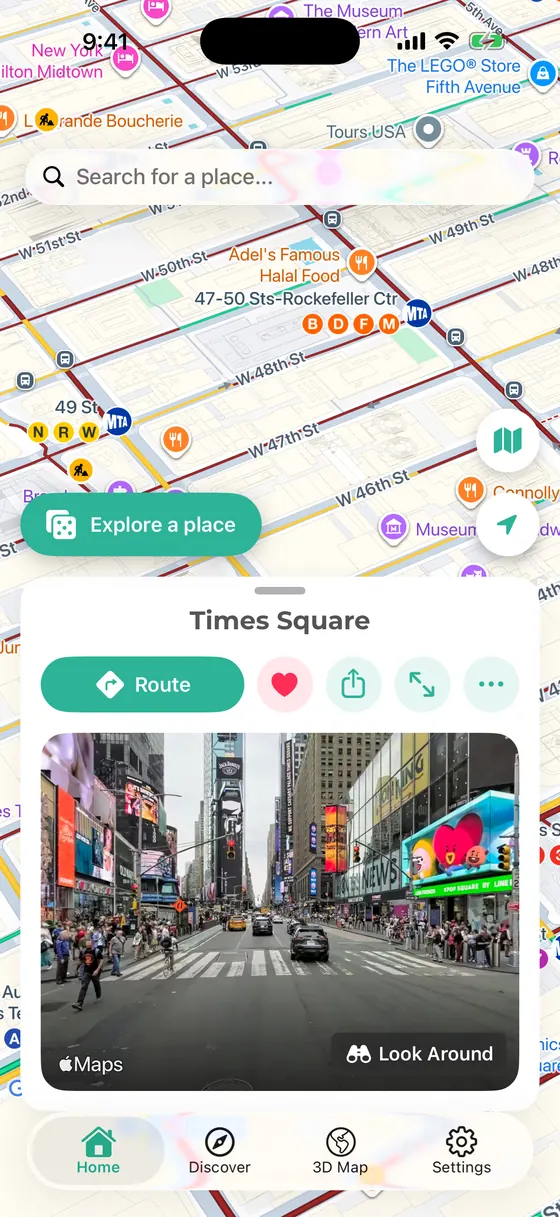
Times Square · 40.7580° N, 73.9855° W
01 Street level
Tap Explore a place and you land at a famous landmark you haven't seen yet — then look around in every direction, as if you were standing on the pavement. Save the spots you love, share them, or get a route.
02 3D Map
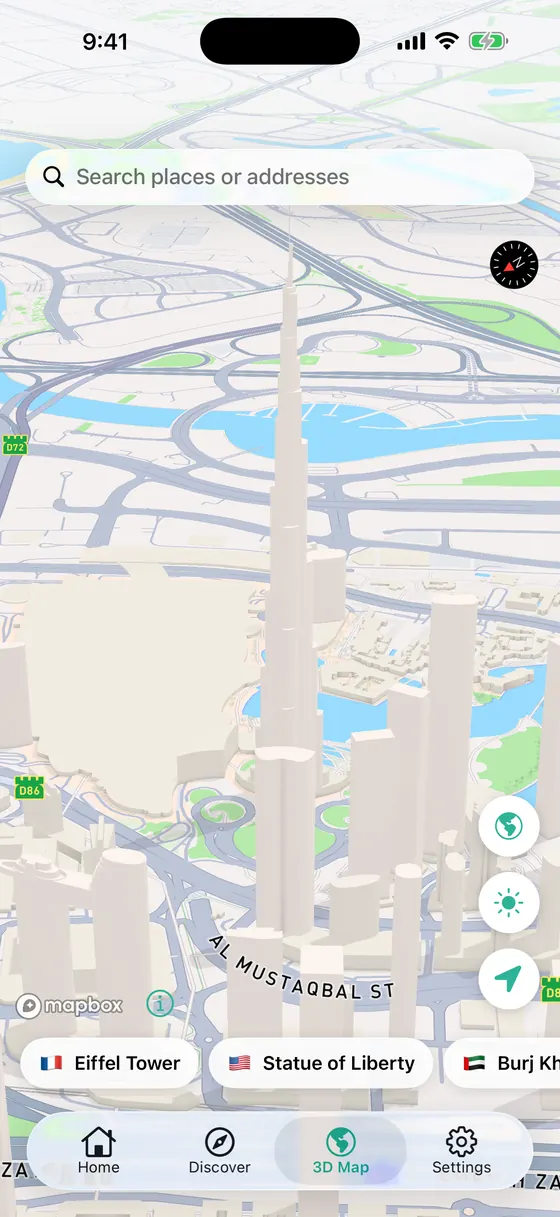
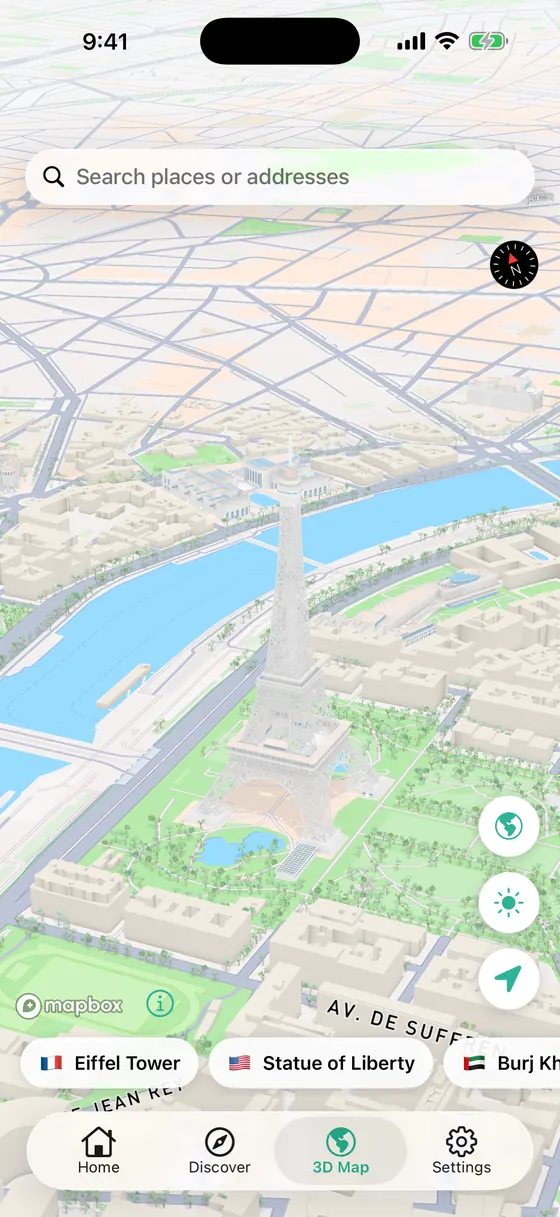
One tap on a landmark flies you there: the Eiffel Tower, Burj Khalifa, the Colosseum, the Statue of Liberty. The camera settles into a slow orbit so every model reads as real.
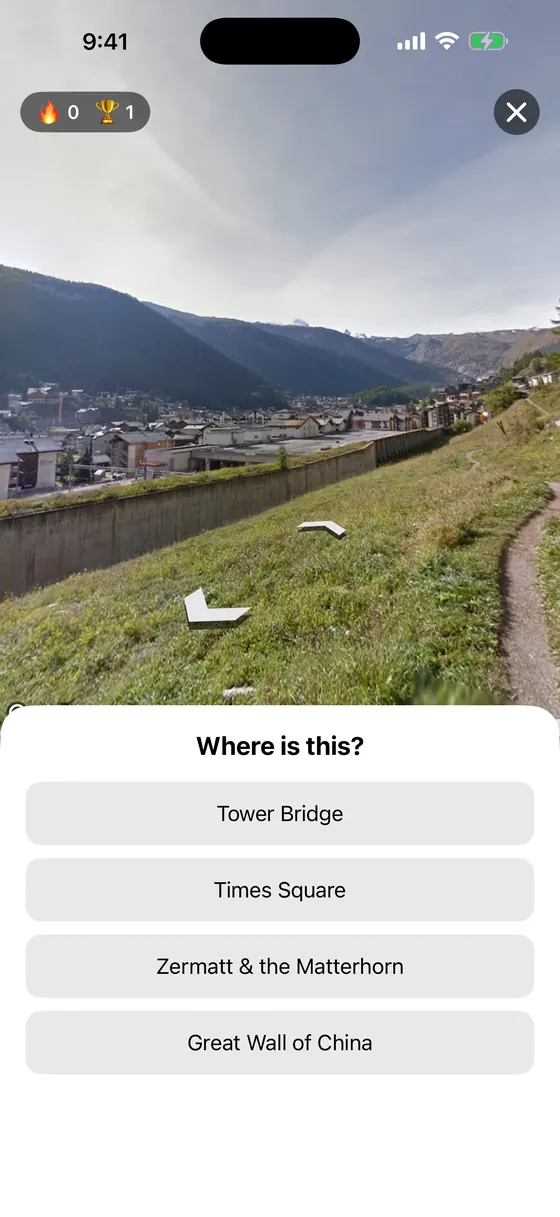
03 Guess the Place
A geography game played on real street imagery — street names and signs hidden. Four answers, one streak, and a best score to beat. Try a text version right here:
Play a round belowTry it No download needed
Five clues. In the app you'd be standing there — here you only get a hint.
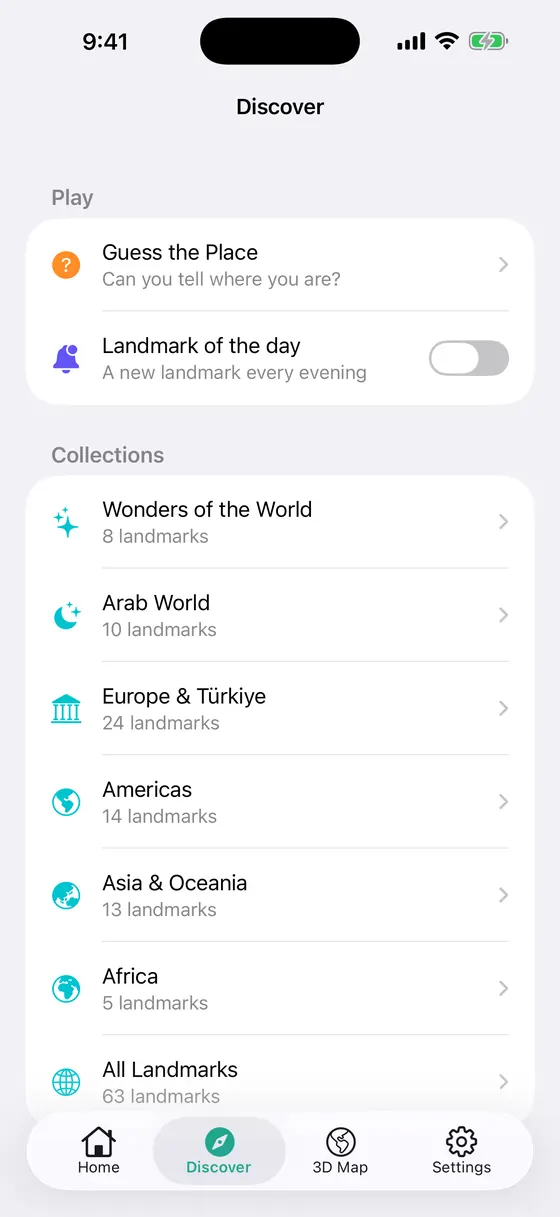
04 Discover
Browse the landmarks by region, turn on an optional Landmark of the day evening notification, and keep your own saved and recent places.
8
Machu Picchu · Petra · Great Wall · Taj Mahal
13.1631° S, 72.5450° W
10
Burj Khalifa · Hegra, AlUla · Pyramids of Giza · Hassan II Mosque
25.1972° N, 55.2744° E
24
Hagia Sophia · Colosseum · Sagrada Família · Santorini
41.0086° N, 28.9802° E
14
Golden Gate Bridge · Grand Canyon · Christ the Redeemer · Chichén Itzá
37.8199° N, 122.4783° W
13
Mount Fuji · Shibuya Crossing · Angkor Wat · Sydney Opera House
35.3606° N, 138.7274° E
5
Table Mountain · Victoria Falls · Karnak Temple, Luxor
33.9628° S, 18.4098° E
05 Questions
Yes. The app is free and supported by ads. There is no subscription and nothing to buy.
No. Street-level views are photographs captured earlier, not live cameras — they can be months or years old. The app never streams real-time video of a place.
Photos only exist where they have been captured. If a place has no coverage at the exact point, Lite Maps looks nearby; if there is nothing, it tells you instead of showing the wrong place.
No. Location is optional and only used to show where you are on the map. You can explore the whole world without it.
No sign-up, no email, no profile. Saved and recent places stay on your device.
English, Arabic and Turkish. The App Store listing is available in 19 languages.
Open the Discover tab and switch off “Landmark of the day”, or turn off notifications for Lite Maps in the iOS Settings app.
Open Settings inside the app. Where local law requires it, a “Privacy options” row lets you review your consent at any time. Tracking can be changed in iOS Settings ▸ Privacy & Security ▸ Tracking.
A real person reads every message. We usually reply within two business days.
info@mapasview.appRequires iOS 16.6 or later · Developer: Soad Hamadeh